


[2100] - Sending gifts
In 2100, you have the ability to send gifts to your coworkers from the store. Follow these steps:
- Open the map at the bottom right of your screen.
- Click on the store option.
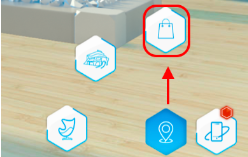
- Click on the gift bag icon.
- Choose the person you want to send the gift to.
- Choose an item and give it as a gift.
|
Note: in order to give gifts, you must have enough money in your wallet (where your money is located) to use in the store. |