

- Home
- Campus
- Diplomas and documentation
- Downloading documents and diplomas
Downloading documents and diplomas
Downloading documents
From the Campus, you can consult and download any documentation that corresponds to the course you completed.
To access the downloadable materials for your course, follow these steps:
- Access the Campus using your usual link.
- Click on "My progress", located at the top left of the home page.
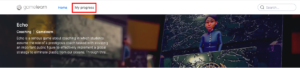
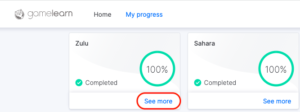
- Click on "See more" in the corresponding game tab.
- Select the materials you want to download and click on the "Download" button.
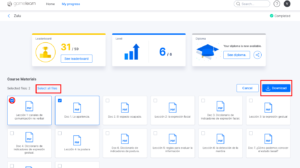
All materials -— including the beginners guide, lessons, and any extra documents— will be available in the language in which the course was taken.
|
You can also download your diploma on this page. |
| Note: the courses offer accessible documentation for reference. However, not all the information available within the game can be downloaded after completion (e.g., the notes); the material related to the didactic content is always available for download. |
Download diploma
Prerequisites
Completing a course and having the diploma available.
Through the Campus, you will have at your disposal the diploma of your course once you complete it.
To download it, follow these steps:
- Access the Campus using your usual link.
- Click on "My progress", located at the top left of the home page.
- Click on "See more" in the corresponding game tab.
- Click on the "See diploma" button.
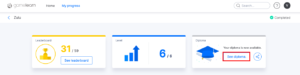
- Select the "Download" option.
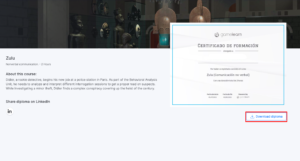
The diploma will be available in the language in which you have taken the course.
If the diploma is not available, we recommend that you contact your company's training managers directly so that they can provide it to you.
|
Please note that the end date that will appear on your diploma will actually be the deadline date set for accessing and completing your course, so it is possible that it may not coincide with the date on which you have completed the course. |
|
Note: if you have completed a learning pathway, you can download both the diploma of your learning pathway and the diploma of each of the modules that compose it as long as your user account is active. |