


“Calendar” indicator #
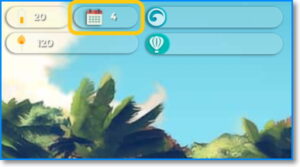
In the upper left part of the screen, you will find the general indicators of the game. Next to the calendar icon, you can see the number of virtual days you have been on the island.
How often should I change days? #
You can move to the next day at any time. We advise you to use up, if possible, all your energy and make sure all your companions have a task assigned to them in order to advance as fast as possible in the construction of the balloon. Don’t forget to “Give feedback”, “Reward” and “Resolve conflicts”, if any.
Related article: [Pacific] – Recharging the energy level
How many days does it take to complete a task? #
It depends on the task and the level of suitability of the character who will perform it.
In the “available” tasks tab, you’ll see an estimate of the number of days required next to the “Minimum days” heading. Only under tasks “in progress” will you also find the real days that the character you selected will take (“Real days”).
Some tasks require more than one day to complete. You can find the exact days inside the task card next to the heading “Real days”. Remember that this title only appears in tasks in progress.