


During the course, you’ll be able to access relevant reference documents and notes at any time.
To do so, follow these steps:
- Click on the button for the menu found at the bottom right of the screen.
- Click on the mobile phone (phone-shaped button).

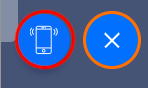
- Click on “Notepad.” This section will only be available while the course is in progress.
- Choose the option you prefer (lessons, learning models, or notes). There you will be able to access the lessons you have read and the learning model you’ve uncovered, as well as the notes of the whole course. However, you will not be able to download the documentation directly inside the game, only through the Campus.
To access the lessons for Triskelion, Pacific, Merchants, and 2100, please refer to the specific instructions available for each game:
Please note that the answers you have provided during the game will not be available in a downloadable report. These answers are stored internally within the game but are not accessible for consultation or export.
|
|