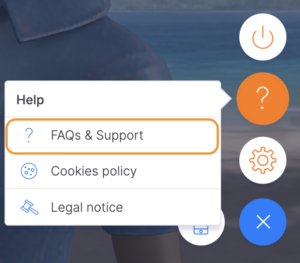
You can contact the Support team directly from the course you’re playing. Here are some examples of how to do this from some different courses:
Pacific #
To contact us while playing Pacific, follow these steps:
- Log into the course.
- Click on the help symbol ([?]) found on the left side of your screen.
- Click on “FAQs and Support” to access the help portal where you can read our frequently asked questions or submit your query.
Triskelion #
To contact us from Triskelion, follow these steps:
- Log into the course.
- Click on the menu (the three lines) found at the top left of your screen.
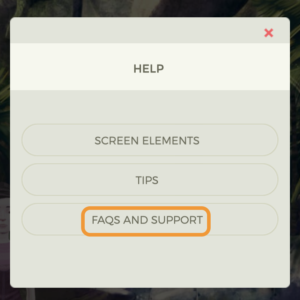
- Click on the “Help” option, through which you can review the course tutorials, access our FAQs or contact the Support team directly.
Merchants #
To contact us while playing Merchants, follow these steps:
- Log into the course.
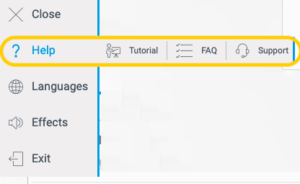
- Click on the help symbol ([?]) found on the left side of your screen.
- Click on “Frequently Asked Questions” to see how common issues have been resolved or “Support” to contact us directly.
2100 #
To contact us while playing 2100, follow these steps:
- Log into the course.
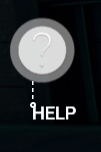
- Click on the help symbol ([?]) found on the left side of your screen.
- Click on “Frequently Asked Questions” to see how common issues have been resolved or “Support” to contact us directly.

Other courses #
To contact us while playing any other course, follow these steps:
- Log into the course.
- Click on the menu (the three lines) found at the bottom right of your screen.
- Click on the help symbol ([?]) and “FAQs & Support”. From there, you can access the help articles and the contact form.